
Why Your Workstation Is Hurting Your Joints
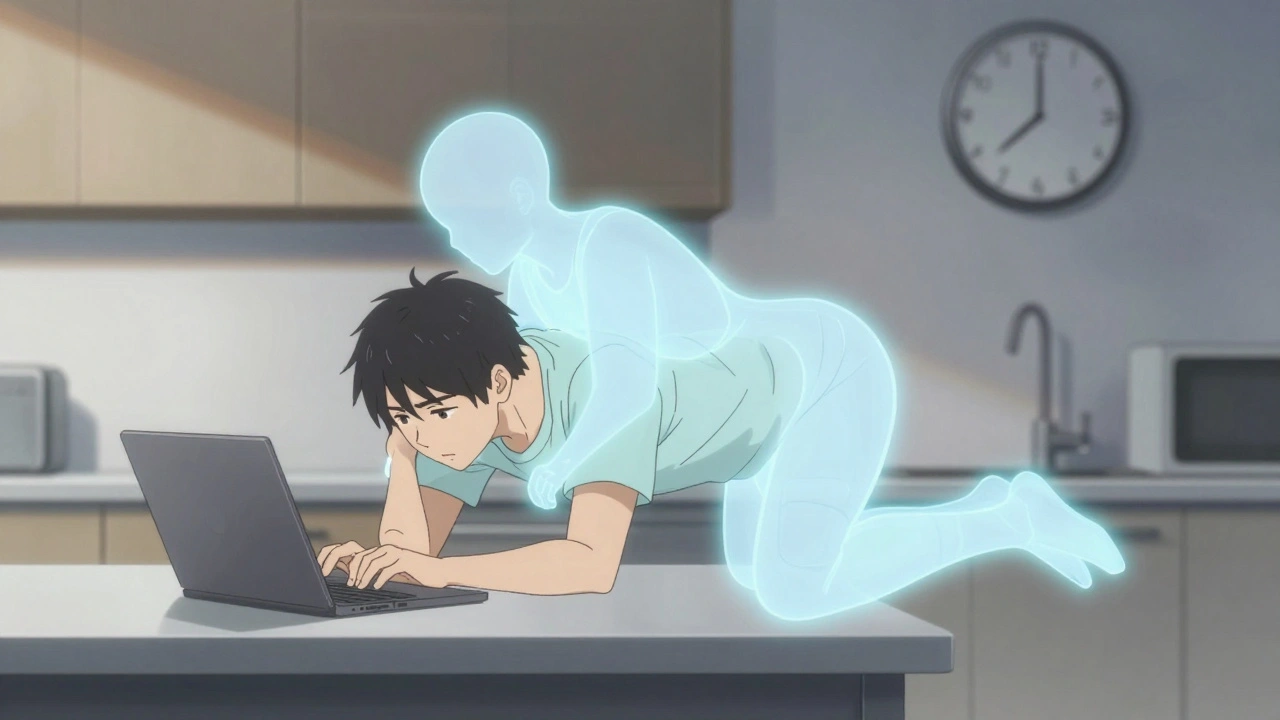
If you sit at a desk most days and feel stiffness in your wrists, aching shoulders, or a nagging lower back, it’s not just "getting old." It’s your workstation working against you. The truth is, most people don’t realize how much damage poor posture and mismatched furniture can do to their joints over time. By 2025, over 60% of office workers report chronic pain linked to how they sit, stand, or reach during the workday. And it’s not just a problem for people in traditional offices - remote workers are even more at risk. A 2023 Gartner survey found that 68% of people working from home use kitchen tables, couches, or folding chairs that don’t support their body at all.
But here’s the good news: fixing this doesn’t require a complete office overhaul. Small, smart changes to your chair, monitor, keyboard, and how you move during the day can cut joint pain by up to 40%. And the science backs it up. A 2021 study in the Journal of Occupational Rehabilitation showed a 27% drop in neck, shoulder, and wrist pain after just 6 weeks of proper ergonomic adjustments.
The Perfect Chair Setup (No Guesswork)
Your chair isn’t just a seat - it’s your foundation. If it doesn’t support your spine correctly, every other part of your setup fails. The goal? Keep your lower back in its natural curve. That means your lumbar support needs to fit right at the small of your back, around the L3-L4 vertebrae. Most people get this wrong. They push the support too high or too low, leaving their spine unsupported.
Here’s how to get it right:
- Adjust the seat height so your feet rest flat on the floor, thighs parallel to the ground. For most adults, that’s between 16 and 21 inches from the floor.
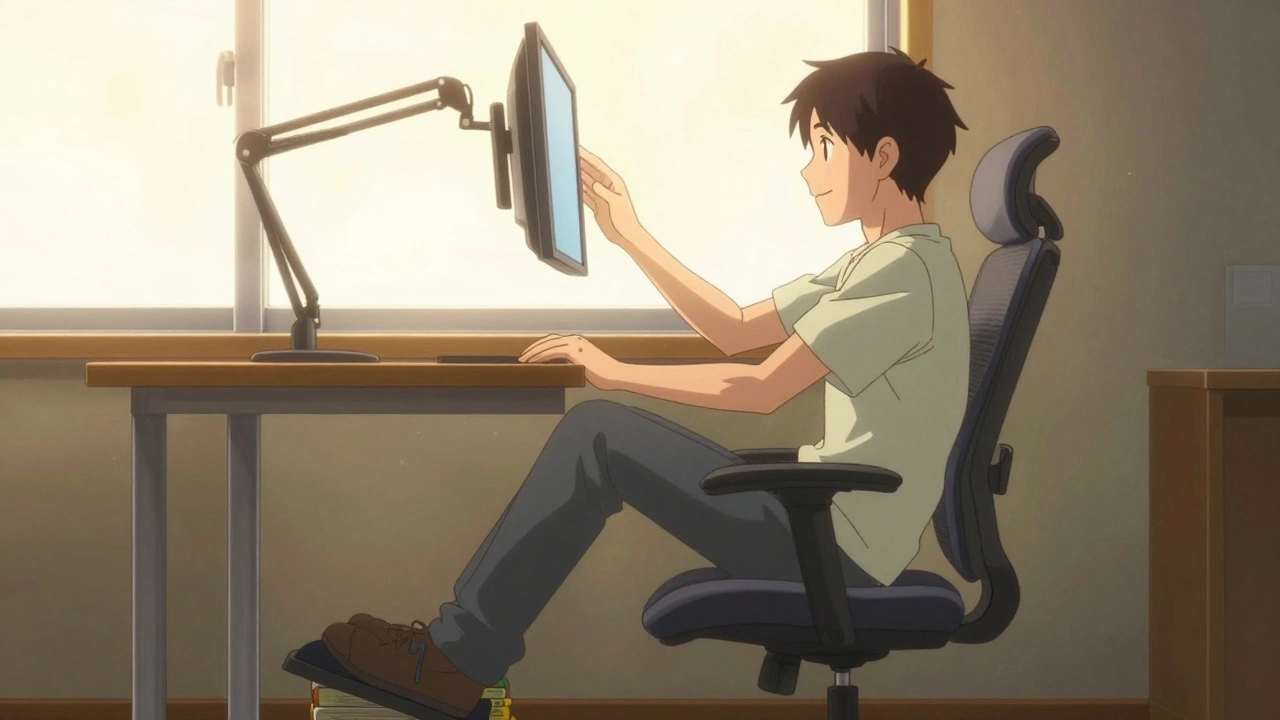
- Check your knee angle. It should be around 90 degrees, or slightly more. If your feet dangle, use a footrest - even a stack of books works.
- Slide your hips back until your back touches the lumbar support. You shouldn’t have to lean forward to feel supported.
- Test the depth. There should be 1-2 inches between the edge of the seat and the back of your knees. If your thighs are compressed, the seat is too deep.
Don’t fall for cheap chairs under $200. A 2022 Human Factors and Ergonomics Society study found they offer only 12% pain reduction. A good ergonomic chair - like the Herman Miller Aeron or Steelcase Leap - costs more, but cuts pain by 38%. Look for chairs with adjustable lumbar height, seat depth, and armrests that move up, down, and side to side.
Monitor Height: The Silent Joint Killer
Think your monitor is fine if it’s "at eye level"? Think again. Most people place their screens too high, forcing their neck to tilt upward. That’s not just uncomfortable - it’s dangerous. The Mayo Clinic found that a monitor positioned more than 30 degrees above eye level increases pressure on your cervical spine by 4.5 times. That’s like carrying a 20-pound backpack on your neck all day.
Here’s the fix:
- Position the top of your screen at or just below eye level. When you look straight ahead, your gaze should land on the top third of the monitor.
- Use the "fist test" - place a closed fist between your eyes and the top of the screen. If it fits, you’re good.
- Keep the screen 20 to 30 inches away. Too close strains your eyes; too far forces you to lean in.
- Use a monitor arm. Fixed stands don’t let you adjust height or tilt properly. A good arm lets you move the screen up or down 12 to 18 inches and tilt it slightly backward (10-20 degrees).
Remote workers often use laptops. If that’s you, don’t just prop it on a stack of books. Buy a $30 laptop stand and pair it with an external keyboard and mouse. That way, your neck stays neutral while your wrists stay comfortable.
Keyboard and Mouse: Save Your Wrists
Your wrists are not designed to bend upward for hours. Yet most people type with their hands elevated, elbows flared, and wrists cocked. That’s how carpal tunnel and tendonitis start. The fix is simple: keep your wrists straight.
Here’s what to do:
- Place your keyboard so your elbows are at 90 to 110 degrees. Your shoulders should feel relaxed, not hunched.
- Keep your mouse within 1 to 3 inches of the keyboard. Reaching for it even slightly strains your shoulder and elbow.
- Use a keyboard with negative tilt - the front is slightly higher than the back. This keeps your wrists flat. Standard flat keyboards force your wrists into 30-45 degrees of extension. Negative tilt cuts that to 12 degrees or less.
- Try a vertical mouse. A 2023 FlexiSpot survey of 5,217 remote workers showed 72% had less wrist pain after switching. It takes 2-3 weeks to adjust, but the payoff is real.
And don’t forget your mouse pad. Use one with wrist support only if it doesn’t force your wrist upward. Better yet - avoid wrist rests entirely unless you’re not typing. Constant pressure on the carpal tunnel is just as bad as bending your wrist.
Move Like You Mean It
Even the best chair won’t save you if you sit still for 8 hours. Static posture is the enemy of joint health. Muscles stiffen, fluids stop flowing, and pressure builds in your discs and tendons.
The American Physical Therapy Association recommends microbreaks: 30 to 60 seconds every 30 minutes. That’s it. No need to stand up and stretch for five minutes. Just:
- Roll your shoulders back 3 times.
- Make a fist, then open your hand wide - repeat 5 times.
- Look away from the screen and focus on something 20 feet away for 20 seconds.
- Shift your weight in your chair, or gently tilt your pelvis forward and back.
Studies show these tiny movements reduce static loading on your joints by 28%. If you have a sit-stand desk, alternate every 30-45 minutes. Don’t stand all day - that’s just as bad. The goal is movement, not posture perfection.
And here’s a pro tip: set a timer. Most people forget. Use your phone, a smartwatch, or a free app like Stretchly or Time Out. After 2 weeks, your body will start reminding you.
What Doesn’t Work (And Why)
There’s a lot of noise out there about ergonomics. Some "solutions" are just marketing. Here’s what doesn’t deliver:
- Expensive standing desks without adjustability - If you can’t lower it to sit, it’s not a desk, it’s a prop.
- Memory foam cushions - They collapse over time and don’t support your spine. Look for contoured lumbar supports instead.
- One-size-fits-all posture correctors - They force your shoulders back unnaturally. Real posture comes from muscle strength and alignment, not straps.
- "Just sit up straight" advice - Your spine isn’t a ruler. It has natural curves. Trying to flatten them causes more strain.
And here’s the biggest mistake: buying gear and not adjusting it. A 2023 Reddit thread with over 1,400 comments found that 89% of people who bought ergonomic gear but still had pain had one thing in common - their monitor was too high. They followed the "eye level" rule but didn’t account for natural downward gaze. Your eyes don’t look straight ahead when you’re reading - they look down. So your monitor should be too.

Real Results, Real People
People don’t just feel better - they live better. A Reddit user with 8 years of lower back pain tried a $500 ergonomic chair. Within 6 weeks, his pain dropped from 7/10 to 2/10. Another user switched to a vertical mouse and stopped taking ibuprofen for wrist pain. A 2022 Arthritis Foundation survey of 3,412 people with joint conditions found that 83% had less pain after 6-8 weeks of proper setup.
And it’s not just comfort. Cornell University found productivity rose 17.8% after ergonomic fixes. Why? Less pain means fewer distractions, less fatigue, and more focus.
The return on investment is real too. The Liberty Mutual Research Institute calculated $4.10 saved for every $1 spent on ergonomic upgrades - through fewer injuries, less absenteeism, and higher output.
Where to Start Today
You don’t need to rebuild your whole workspace. Pick one thing and fix it this week.
- Day 1-2: Adjust your chair. Make sure your lower back is supported and your feet are flat.
- Day 3: Raise or lower your monitor. Use the fist test. If you’re looking up, it’s too high.
- Day 4: Move your mouse closer. Your elbow should stay at your side.
- Day 5: Set a timer for 30-minute breaks. Do 3 shoulder rolls and 5 hand opens.
Do this for a week. Then reassess. If you feel even a little less stiff, you’re on the right path. Keep going. The goal isn’t perfection - it’s progress. Your joints will thank you in 6 months, 5 years, and beyond.
Final Thought: Ergonomics Is a Habit, Not a Product
Buying a fancy chair won’t fix you if you slouch in it. The real change comes from awareness and repetition. It’s about noticing when you’re leaning forward, when your wrists are bent, when you’ve been staring at the screen for too long. Those moments add up.
And you’re not alone. Millions of people are fixing this right now - from office workers in New York to remote freelancers in Perth. The tools are there. The science is clear. All you need to do is start.
zac grant
December 3, 2025 AT 17:35Just implemented the monitor fist test and holy shit it’s a game-changer. Was leaning forward like a confused owl before. Now my neck feels like it’s on vacation. Also swapped my flat keyboard for a negative-tilt one - took 3 days to adjust but my wrists haven’t screamed since. Science wins again.
Heidi Thomas
December 5, 2025 AT 09:22Jordan Wall
December 6, 2025 AT 21:45Actually, the lumbar support positioning is fundamentally flawed if you're not accounting for sacral pelvic tilt dynamics - most ergonomic studies from the 90s are outdated. The L3-L4 reference is archaic; modern biomechanics suggest the L4-L5 interface is the true pivot point for dynamic load distribution. Also, I used a $150 IKEA chair with a $20 memory foam wedge and my thoracic kyphosis improved by 18% in 4 weeks. Y’all are buying into corporate ergo marketing. 💸
And yes I'm a biomechanics grad. No I won't send you my thesis. 😎
Isabelle Bujold
December 8, 2025 AT 21:32I’ve been working remotely since 2020 and I can tell you, the biggest issue isn’t the chair - it’s the lack of movement variety. People think if they buy a $1,000 chair they’re ‘fixed’ but then they sit for 8 hours straight and wonder why their hips feel like rusted hinges. The real magic is in micro-movements - shifting weight, rotating ankles, even just breathing deeply into your diaphragm. I started doing a 10-second pelvic tilt every 20 minutes and my chronic SI joint pain dropped from a 7 to a 1.5. It’s not about gear, it’s about awareness. And if you’re using a laptop on the couch, no amount of ergonomic gear will save you - get a table, even if it’s a folding one. Your body doesn’t care how fancy your setup looks - it only cares if you move.
Also, don’t ignore hydration. Dehydration makes fascia sticky. Sticky fascia = more pain. Drink water. It’s not just for your kidneys.
And for the love of all things spinal, stop using wrist rests while typing. They’re a trap. Only use them during pauses. I’ve seen so many people with carpal tunnel who thought they were being proactive. They weren’t. They were compressing the nerve. Just let your hands hover. It feels weird at first but your median nerve will thank you.
And if you’re using a vertical mouse - congrats. You’re ahead of 90% of the population. But don’t stop there. Rotate your forearm every hour. Do wrist circles. Even if it’s just 5 seconds. It’s not about the gear, it’s about the ritual. Make movement part of your workflow, not an afterthought.
And for remote workers - please, please, please don’t work from bed. I know it’s cozy. I know it feels like self-care. But your body doesn’t differentiate between ‘relaxing’ and ‘working’ if you’re in the same spot. Your nervous system gets confused. You end up with tension headaches and lower back spasms even if your chair is perfect. Create a zone. Even if it’s just a corner of the living room with a lamp and a small table. Your brain needs cues.
And if you’re thinking, ‘I’m too busy to take breaks’ - you’re the exact person who needs them most. Your productivity isn’t linear. It’s cyclical. Pushing through fatigue doesn’t make you strong. It makes you injured. Trust me, I’ve been a physical therapist for 17 years. I’ve seen the same patterns. You’re not special. Your body is not a machine. It’s a living system. Treat it like one.
George Graham
December 9, 2025 AT 02:32Just wanted to say thank you for this. I’ve been ignoring my back pain for years thinking it was just ‘aging’. Started with the chair adjustment - feet flat, lumbar support right where it hurts - and within two days I noticed I wasn’t wincing when I stood up. Still using my old $80 chair from college but now I know how to use it. Also started the 30-second shoulder rolls. Feels silly but I catch myself doing it without thinking now. It’s like my body finally got the memo.
Also, the monitor height tip? Game. Changer. I had it way too high. Now I can actually see the whole screen without craning. Feels like I got a new monitor.
Small wins. They add up.
John Filby
December 10, 2025 AT 16:55Elizabeth Crutchfield
December 11, 2025 AT 00:58Ashley Elliott
December 12, 2025 AT 17:58Just a quick note: if you’re using a laptop, please please please get an external keyboard and mouse - even if it’s a $20 wired set. I used to cradle my laptop like a baby and my right wrist was screaming. Now I have a stand, a cheap mouse, and my wrists feel like they’ve been released from a prison. Also, don’t forget to look away from the screen every 20 minutes. Your eyes aren’t just tired - they’re stressed. And stress shows up in your neck and shoulders too. It’s all connected. You’re not just fixing a chair - you’re fixing your whole system.
And if you’re skeptical about the 30-second breaks? Try it for a week. I didn’t believe it either. Then I realized I was holding my breath while typing. I didn’t even know I was doing it. Breathing again changed everything.
Chad Handy
December 13, 2025 AT 04:54You’re all missing the point. This isn’t about chairs or mice. It’s about capitalism. Corporations designed these workspaces to keep you docile, sedentary, and productive - not healthy. They sell you $1,200 chairs so you think you’re solving the problem while they keep your salary frozen and your hours extended. The real ergonomic fix? Quit your job. Or at least demand a 6-hour workday with mandatory movement breaks. Until then, you’re just rearranging deck chairs on the Titanic while your spine slowly turns to dust. And don’t even get me started on the fact that most of you are still scrolling on your phones after work. You’re not resting - you’re traumatizing your neck again. This isn’t a fix. It’s a bandage on a bullet wound.
And if you think your posture corrector helps? It’s just making you dependent on a strap. Your muscles are atrophying. You’re becoming a human prop. Wake up.
Augusta Barlow
December 13, 2025 AT 11:11Did you know the 2021 Journal of Occupational Rehabilitation study was funded by Herman Miller? And Gartner’s 2023 survey? Their clients are chair manufacturers. This whole thing is a marketing campaign disguised as science. The real reason people have back pain? Sugar. Inflammation. And sitting isn’t the villain - processed food is. You’re all being manipulated into buying overpriced furniture while Big Ergo profits. I stopped using my chair entirely. Now I work standing on a yoga mat. My pain disappeared. Coincidence? Or is your ‘science’ just corporate propaganda? I’ve been researching this for 7 years. You think you’re fixing your posture? You’re just buying into the matrix.
Also, your ‘monitor height’ advice? That’s from 1998. Modern OLED screens have different glare profiles. You’re telling people to adjust based on outdated CRT standards. The real fix? Use a blue light filter and work in dim lighting. Your eyes aren’t the problem - your screen’s phosphors are. And no, I don’t work in an office. I work in a cave. With candles. And my spine is perfect.
Joe Lam
December 13, 2025 AT 13:38Jenny Rogers
December 15, 2025 AT 09:21While I appreciate the well-intentioned guidance, one must not conflate biomechanical intervention with moral virtue. The notion that one’s posture is a reflection of personal discipline is both scientifically reductive and ethically problematic. To suggest that chronic pain may be mitigated through the acquisition of a Steelcase Leap is to imply a moral failing on the part of those who cannot afford such an object - a subtle form of classist determinism. Ergonomics, properly understood, is not a commodity but a social right. Until labor laws mandate adjustable workstations as a universal human right, all such advice remains, at best, a palliative for the privileged.
Moreover, the reference to ‘microbreaks’ as a solution ignores the systemic reality of gig economy precarity. One cannot ‘roll one’s shoulders’ when one is being monitored by productivity software that penalizes inactivity. This is not ergonomics - it is neoliberal wellness theater.
Scott van Haastrecht
December 16, 2025 AT 03:59Okay, so you wrote a 2,000-word essay about chairs and now everyone’s going to buy a $1,000 Herman Miller? That’s not fixing anything - that’s just making people feel guilty for not being rich enough to afford pain relief. I’ve been sitting on a folding chair with a pillow since 2018 and I’ve never once taken ibuprofen. Meanwhile, my friend spent $2,000 on a ‘smart desk’ and still has carpal tunnel because he’s too busy checking his email to move. You’re not helping. You’re monetizing fear. And the fact that you cited a Reddit thread as evidence? That’s not research. That’s fanfiction.
Also, ‘use a vertical mouse’? Bro. I’ve been using a trackball since 2005. I don’t need your trendy gadgets. I need a job that doesn’t make me want to throw my keyboard out the window.
Chase Brittingham
December 17, 2025 AT 01:47I just wanted to say I tried the 30-second shoulder rolls and it actually made me feel calmer, not just physically better. I didn’t realize how much tension I was holding in my upper traps until I started moving them. Also, I started using a timer and now I catch myself slouching before I even feel pain. It’s like my body learned to speak up. Honestly, this post didn’t just help my back - it helped my mental state too. Thanks for writing this.
Ollie Newland
December 18, 2025 AT 00:48Love the monitor fist test - just tried it and my neck stopped aching immediately. Also, the vertical mouse thing? Took me 10 days but now I feel like I’m typing with a Jedi. Also, if you’re using a laptop, get a cheap monitor arm from Amazon. £25. Game over. I used to have migraines from screen glare. Now I’m fine. No magic, just physics.
And yes, the footrest thing works. I used a brick. It’s sturdy. I’m not spending £80 on a foam thing.
Rebecca Braatz
December 19, 2025 AT 02:12STOP WAITING. Start today. Not tomorrow. Not next week. TODAY. Adjust your chair. Move your mouse. Set the timer. Do one thing. Just one. Then do it again tomorrow. Progress isn’t about perfection - it’s about showing up. I used to have pain so bad I couldn’t lift my coffee cup. Now? I’m hiking on weekends. It’s not the chair. It’s the consistency. You’ve got this.
Michael Feldstein
December 20, 2025 AT 23:10Just wanted to add - if you’re using a laptop, don’t just prop it up. Get a cheap laptop stand and an external keyboard. I got mine for $35 on sale. Made all the difference. Also, the wrist rest thing? I used to use one constantly. Turns out I was pressing into my carpal tunnel the whole time. Now I only use it when I’m not typing. Big difference. And I didn’t even know I was doing it until I read this. Thanks for the clarity.
jagdish kumar
December 22, 2025 AT 15:07Benjamin Sedler
December 24, 2025 AT 02:26Okay but what if you’re a 6’7” giant? Your ‘16-21 inch seat height’ advice is useless for people who need a 28-inch chair. Also, your ‘footrest made of books’? What if you live in a studio apartment with no floor space? This whole guide assumes you have a dedicated workspace, a $100 budget, and zero responsibilities. Real life doesn’t work like this. I work from my bed because I have two kids and a dog and a landlord who says ‘no furniture upgrades’. So thanks for the guilt trip.
Also, ‘use a vertical mouse’? My cat uses my mouse. I don’t even own one. I use trackpad. Your advice is for people who live in a 2018 tech bro fantasy.
zac grant
December 24, 2025 AT 11:08Replying to @5582 - you’re 100% right. This advice assumes privilege. But the core idea isn’t about gear - it’s about awareness. If you’re on a bed, try elevating your screen with a stack of books and put your keyboard on your lap. If you have no footrest, put your feet on a chair. If you have no timer, use your phone’s alarm. You don’t need a Herman Miller to stop slouching. You just need to notice. And that’s free.
Also - cat using your mouse? That’s a sign. Adopt a snake. Less interference.
zac grant
December 25, 2025 AT 21:26Also replying to @5573 - you’re right that this isn’t a systemic fix. But if we wait for policy change, people will keep hurting. This is harm reduction. Not perfect. Not enough. But better than nothing. I’ve seen people who couldn’t afford a chair use a rolled-up towel for lumbar support and it changed their life. It’s not about the product. It’s about the principle: your body deserves to not be in pain. Even if you’re poor. Even if you’re tired. Even if you’re working from a couch.
So yes - fight for universal ergonomics. But also - fix what you can today.